
By Sandra Stewart
Perplexity, a tool known for its AI-powered search and research capabilities, has released a powerful browser, Comet. Comet extends Perplexity’s AI functionality directly into the browser and is designed to help users organize research, manage projects, and collaborate within their browsing environment.
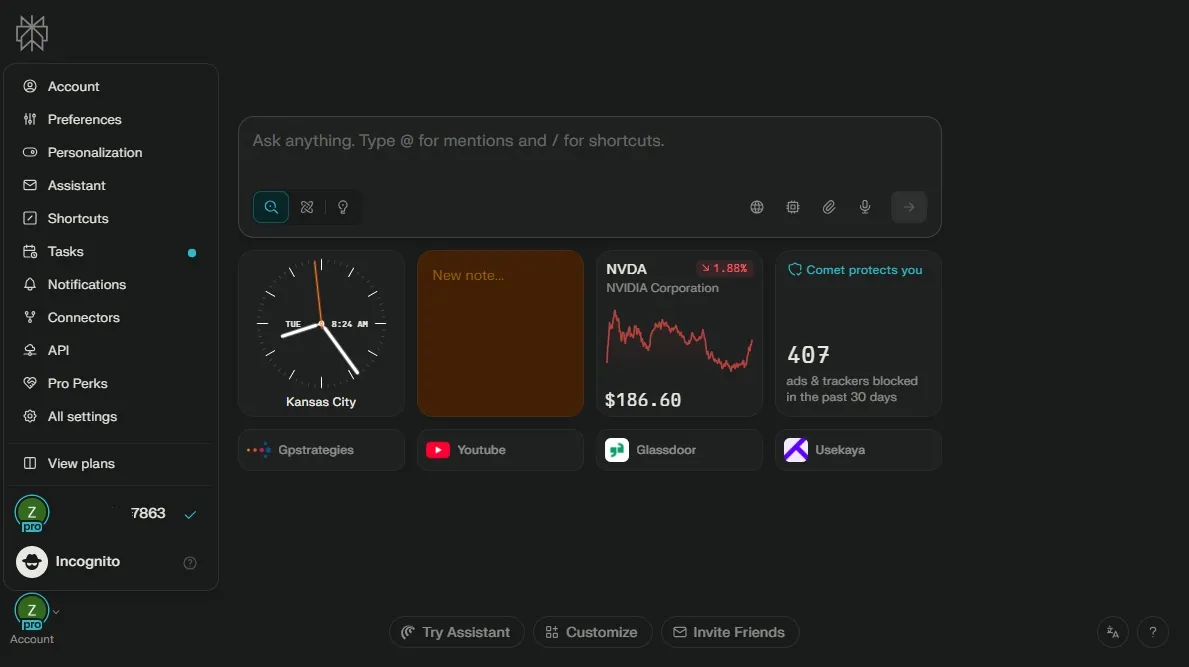
For L&D professionals managing multiple initiatives, Comet and other AI browsers (OpenAI also recently released Atlas) provide a workspace that integrates AI support directly into daily workflows. Let’s explore what this means for learning.
How Comet Supports Learning
Comet brings AI functions directly into browser-based workflows, supporting both L&D teams and learners. With Comet’s Spaces, users can organize websites, notes, and highlights by project or topic, making materials easy to find and re-use. As users read articles or courseware online, Comet summarizes complex materials and allows highlights or notes to be attached directly to a project space. The result is a highly organized approach to developing and sharing learning content.
For learners, Comet provides contextual support while browsing. Functions like instant explanations, practice questions, and flashcard creation tools are accessible directly within the browser. Learners can access personalized assistance as they explore content, which aligns with the just-in-time and microlearning strategies central to current L&D practices.
The AI Browser in Action: Practical Features for L&D
Comet includes a set of features that are common in many AI-supported environments, but its browser-native application offers unique strengths:
- Content Summarization: Comet condenses long readings into focused briefs, supporting the creation of quick guides and training resources.
- Smart Search and Reliable Citations: Information from trusted sources can be pulled and cited in structured ways, supporting efficient content curation and program development.
- Automated Communications: The AI handles tasks like drafting emails, scheduling, and reminders related to training, supporting both administration and learner engagement.
- Data Extraction and Organization: Structured information from different sites is gathered in one place, allowing for easy comparison or summary, which is useful for platform reviews and skills mapping.
These features can make L&D work more efficiently and align with what other AI tools promise, but their seamless availability within the browser is what truly stands out.
Flexible Workspaces and Project Management
The way Comet organizes resources within browser-based Spaces is also noteworthy. Instead of juggling dozens of tabs or folders, L&D teams can use Spaces to keep articles, notes, feedback, and summaries together. These Spaces are searchable and can be shared or updated by multiple collaborators, providing a live, working environment for managing resources tied to courses, programs, or other projects.
Spaces differ from bookmarks in that they are dynamic containers that archive and allow active collaboration or curation. Over time, this supports the creation of tailored and up-to-date repositories of learning and reference materials.
Highlighting, Contextual Actions, and Cumulative Memory
Users can highlight sections of text on any webpage, document, or PDF. The AI can then summarize or generate questions from these highlights, which are automatically saved to the relevant Space. L&D teams can easily revisit key information, share annotated resources, or turn highlights into learning activities.
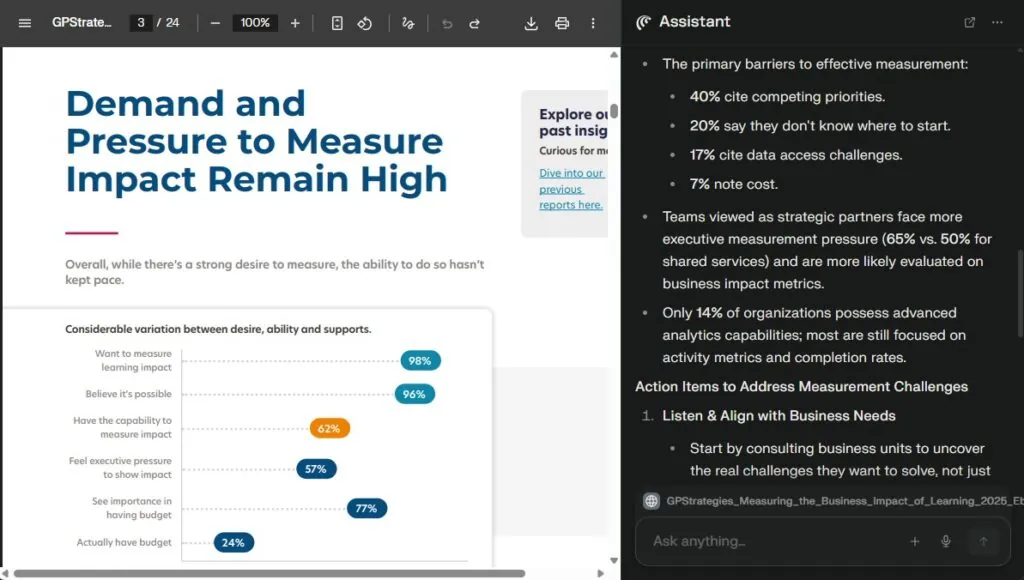
Comet also tracks project progress and maintains session memory, allowing ongoing work to resume quickly. This helps L&D professionals manage multiple initiatives at once and ensures continuity across teams and projects.
AI-Driven Synthesis and Automation
One of Comet’s strengths is its ability to automate complex, multi-step tasks. For instance, when benchmarking training platforms, Comet gathers information from multiple sources, creates side-by-side comparisons, and can synthesize feedback without manual collation. Teams working on group projects can use Comet for collaborative resource review and annotation; the AI then compiles and summarizes input for easier decision-making.
How Your L&D Team Can Get Started with Comet
Adopting a new tool can feel overwhelming, but Comet’s design makes it easy to start small and scale up. Here’s a practical roadmap:
- Start with a Pilot Project: Pick one initiative (like vendor comparison) and create a dedicated Space. Use highlighting and note-taking features to see how they streamline collaboration.
- Experiment with Collaboration: Invite team members to co-curate resources in the Space. Try adding comments, summaries, and highlights to simulate real project workflows. This helps everyone understand how Comet supports shared decision-making.
- Balance AI with Human Insight: Leverage Comet’s automation for summarization and organization, but keep human judgment central for context and quality. AI should accelerate, not replace, your expertise.
- Build Ethical Guardrails Early: Review privacy and compliance standards before uploading sensitive learning data. Establish clear guidelines for what information can be stored and shared in Spaces.
- Iterate and Expand: Once the pilot proves valuable, roll out Comet to additional programs. Document best practices and lessons learned so adoption feels structured, not rushed.
The Future of L&D is Human+AI
With the speed at which AI tools are being developed, it’s impossible to stay on top of them all, especially in the L&D space. But Comet is different because it is uniquely positioned to transform not just learning itself, but also learning development and administration.
For more insights on AI in L&D, check out our recent blog diving into takeaways from our 2025 Client Forum, Stronger Together: Human-Centered L&D in the Age of AI.

About the Authors